Your Coolify stack. Anywhere.

Monitor incidents, deployments, and resources from a native iOS client.
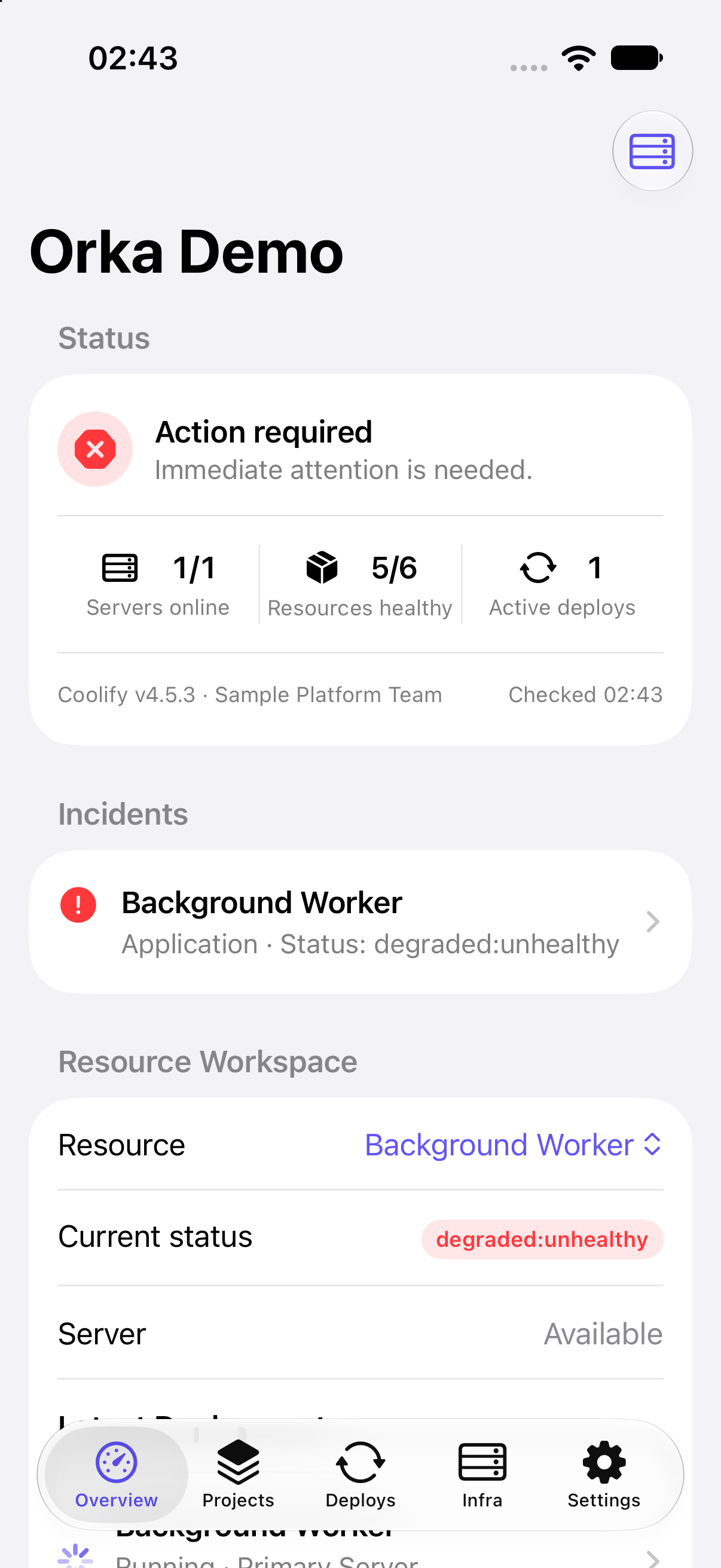
Orka Overview showing an action-required Coolify installation, one degraded resource, and one active deployment

iPhone and iPadiOS 17 or later

Direct HTTPSNo relay backend

No analyticsNo ads or tracking SDKs

Find the failure. Reach the control.

Overview connects health, incidents, diagnostics, and the affected resource.

Orka incident Overview with Action required and Background Worker marked degraded
Current status and the incident are visible in the same workspace.
  1. Action requiredHealth and active deploys stay in view.
  2. Background WorkerThe degraded resource opens directly.
  3. DiagnosticsRefresh failures and context can be shared.

The Coolify map stays intact.

Projects, deploys, and infrastructure keep their native hierarchy and context.

Orka Projects showing Coolify projects and descriptions
Projects Move from project to environment, then application, database, or service.
Orka Deploys showing recent Coolify application deployments
Deploys Review status and logs, or cancel work still in progress.
Orka Infrastructure showing a Coolify server and integrations
Infrastructure Check servers, destinations, teams, tags, provider tokens, GitHub Apps, and private keys.

Operate the resource, not a web view.

Clear controls keep supported actions close to the resource that needs them.
Deploy and rebuild
Start a release or force a fresh build.
Restart and stop
Control supported applications, databases, and services.
Inspect logs
Search, filter, pause, refresh, and share with best-effort redaction.
Edit configuration
Manage variables, storage, tasks, tags, and backups.
Multiple installations
Keep work, home lab, and client environments separate, then switch in a tap.
Permission-aware actions
Controls adapt to each Coolify token and explain which permission is missing.
Native on iOS
Dynamic Type, VoiceOver labels, dark appearance, and device-owner authentication.
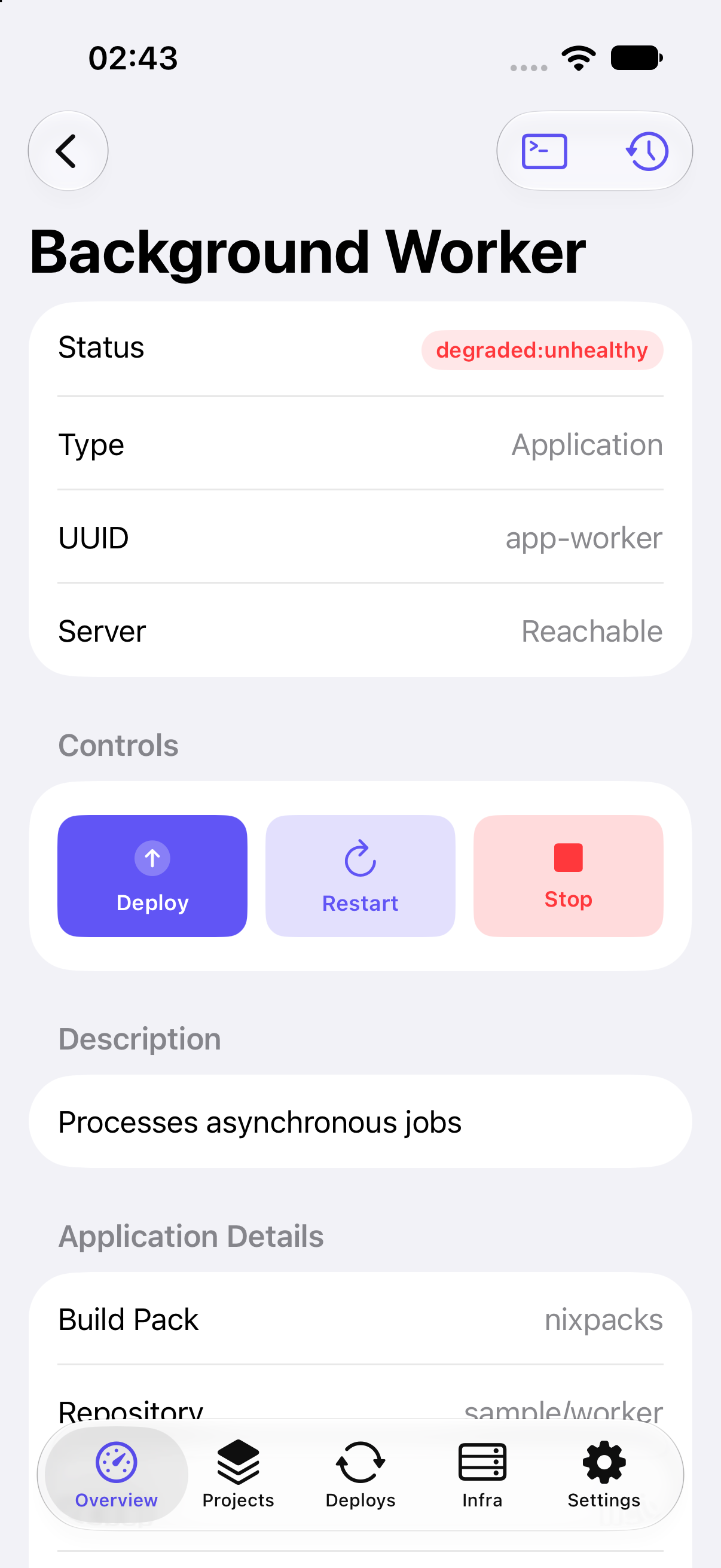
Orka Background Worker details with deploy, restart, and stop controls
Sensitive and destructive operations use confirmations and device authentication where required.

Logs stay live and shareable.

The latest 200 lines refresh every five seconds while visible.
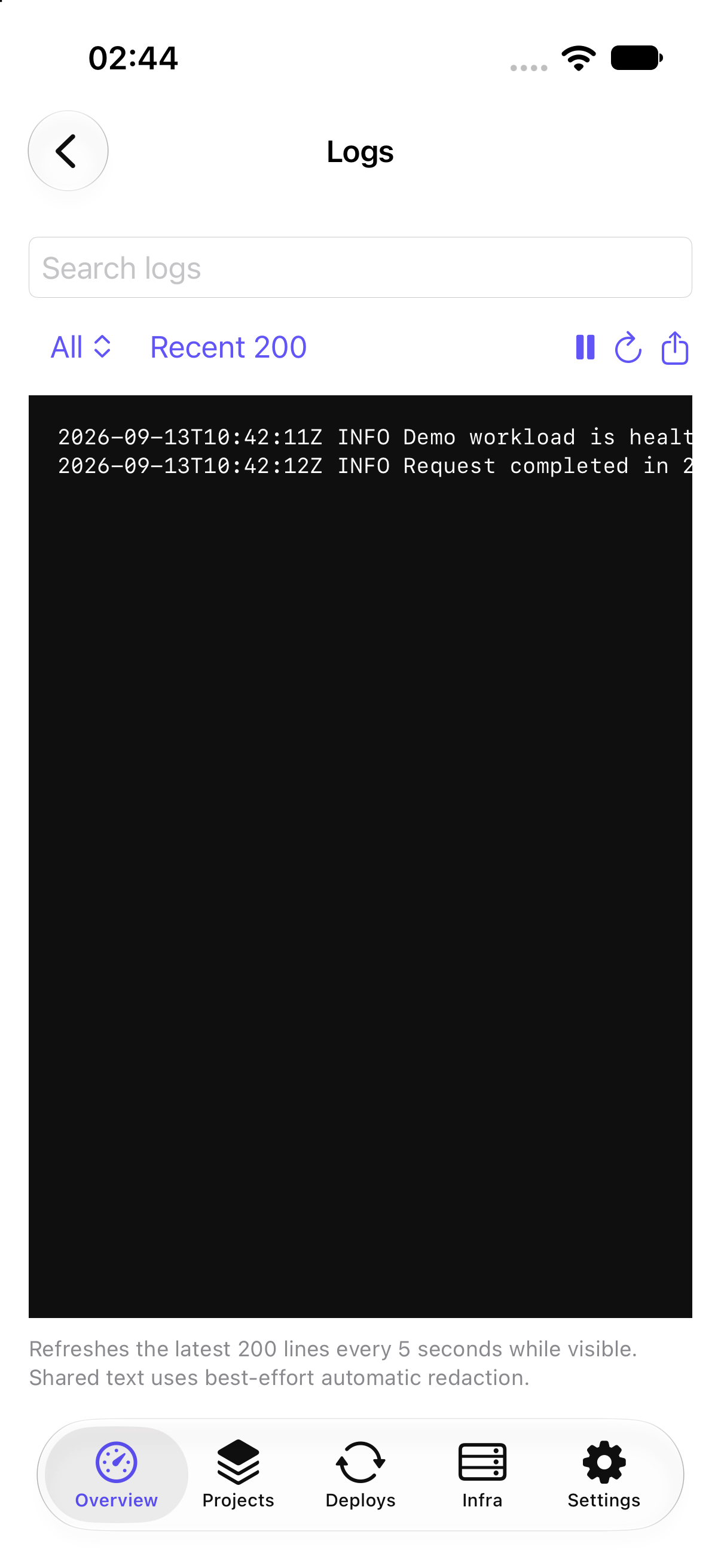
Orka Logs with search, line filter, pause, refresh, share, and live application output
Shared text uses best-effort automatic redaction and remains reviewable before it leaves the device.

The full operational surface.

Routine Coolify work goes well beyond the three screens shown above.

Monitor and find

Health, incidents, global search, deployment history, live logs, cancellation, and shareable diagnostics.

Create and organize

Projects, environments, applications, databases, Compose services, servers, destinations, provider tokens, GitHub Apps, and private keys.

Release and recover

Deploy, rebuild, preview, roll back, clone, migrate, move, tag, or delete supported resources.

Configure resources

Metadata, domains, variables, storage, scheduled tasks, backups, shared variables, registry settings, and advanced defaults.

Administer infrastructure

Servers, teams, members, providers, GitHub and GitLab integrations, S3 storage, notifications, API controls, and MCP controls.

Use version-gated tools

Audit events, secret manager, imports, registry sessions, Sentinel, Docker cleanup, proxy, log drains, Cloudflare Tunnel, server transfer, and cloud-init.

Stay native and secure

Keychain credentials, permission-aware controls, device authentication, transient secrets, accessibility, dark appearance, and a network-free local demo.

Direct to the server you trust.

Coolify API traffic goes from your iOS device to the trusted HTTPS server you configure. Orka has no account system, relay backend, advertising, analytics, or tracking SDKs.

Read the full Privacy Policy
Keychain storage
API tokens stay in the device Keychain.
No API response cache
Infrastructure responses are not persisted by Orka.
Protected operations
Critical actions can require Face ID, Touch ID, or device passcode.
No developer access
Your stack and credentials are not sent to an Orka service.

Questions, answered.

Need help? Visit Orka Support or email hi@didac.dev.

Is Orka an official Coolify app?

No. Orka is an independent iOS client built for the official Coolify API. It is not affiliated with or endorsed by Coolify or CoolLabs.

What do I need to connect?

A trusted HTTPS URL for your Coolify installation and an API token. Available actions follow the permissions granted to that token.

Does Orka operate its own server?

No relay or account backend is involved in Coolify API traffic. Public service templates and logos may load from Coolify’s CDN and GitHub.

Which devices are supported?

Orka supports iPhone and iPad on iOS 17 or later. It targets the current Coolify v4 API, with older versions supported on a best-effort basis.

Can I explore without a server?

Yes. The populated local demo needs no account, API token, network connection, or subscription. Demo changes stay on the device and reset when Orka is relaunched.

Orka app icon

Keep your infrastructure close.

Native Coolify management for iOS.

Download OrkaApp Store